Adding Advanced Haptics in Thief 1+2
How I added DualSense Advanced Haptics (as well as traditional Rumble) to Thief.
Originally published on ModDB ↗
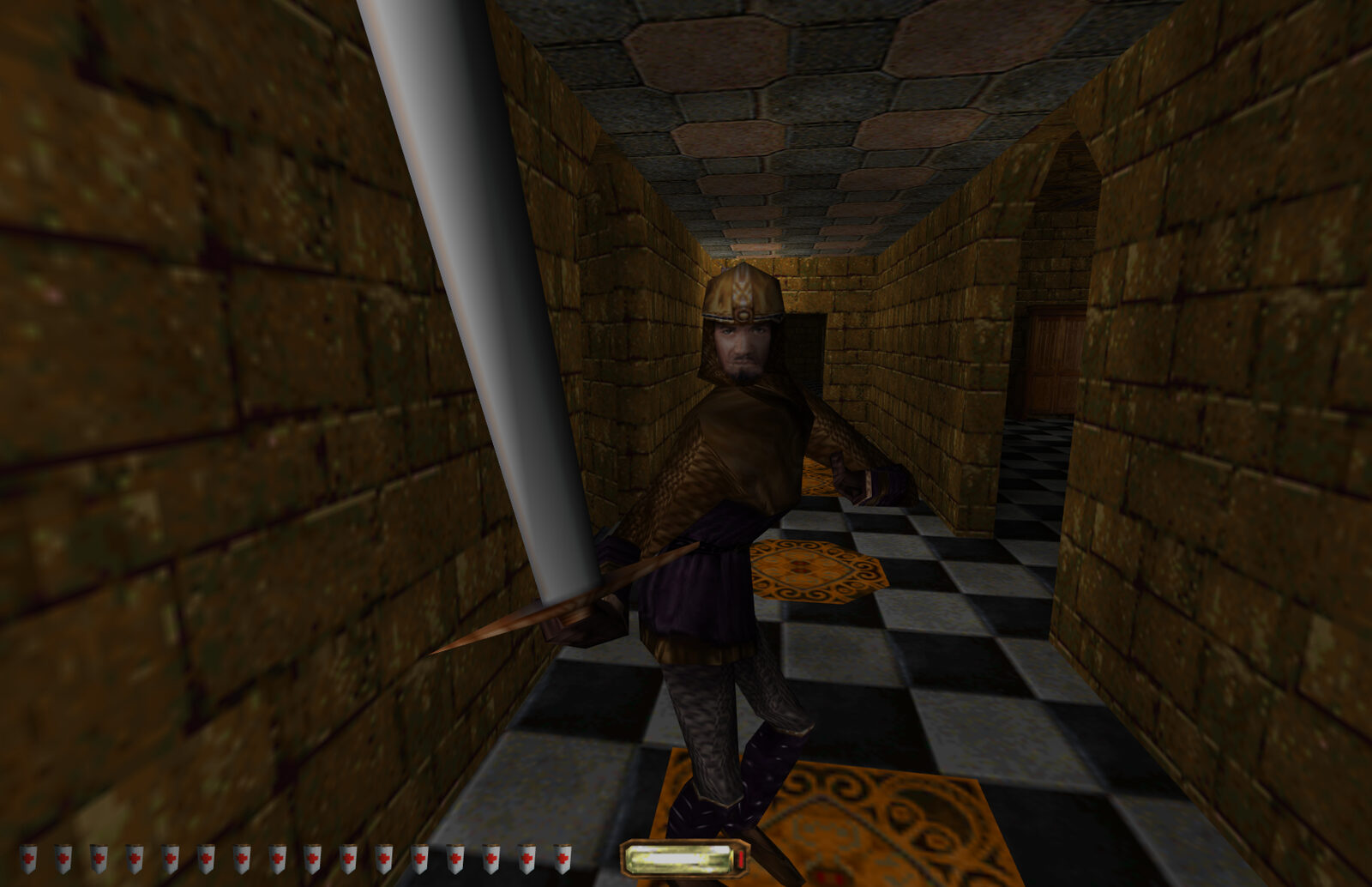
Thief is a very audio-centric game: the Dark Engine simulated the creation (by pre-defined material types colliding) and transmission of sound between rooms and through doors. In 1998! Your footsteps on tiles feel earsplittingly loud as you creep through an otherwise silent mansion, and NPCs react fairly realistically to them.
When playing with a controller, however, it felt like the connection to the character could be even stronger. What if you could feel that footstep as it landed? I started off with standard rumble, but when I tested the PS5 DualSense controller's advanced haptics, I got a little obsessed with what was possible and started to dig deeper.
This month I've been working non-stop on getting quality Rumble and Advanced Haptics (PS5 DualSense) support into the mod. It's a work in progress, and it's really shown how talented professional game haptics designers are. I've been fumbling my way through, trying to get something that feels right while I half learn a whole new discipline.
Until now, rumble in my mod has been limited (rumble on taking damage). Previously I had rumble on physics too (e.g. landing a jump), but it turns out the Dark Engine also sends huge physics collisions when climbing stairs(!). That was the limit of what I could do, because much of the sound in the game appeared to be locked away from the scripting system (e.g. I couldn't find any way to observe combat or footstep sounds). When Garrett's sword clashes, I want to feel that!
Haptics Events From Audio Events
Given the limitations of the script interface on what audio I could observe, I decided to take a different approach, and have been reverse engineering and tracing the calls the engine makes to the sound system. Thankfully the engine doesn't try to obfuscate or optimise things, so keeping track of what's going on isn't too challenging. I can't imagine doing this on a modern engine! I discovered that the engine gives the position where the sound should be played in world space - and I can get the position of the player's "ears", and subtract the two to get a relative position.
So we know that footsteps (or a jump landing noise) below the player (by the player's height) belong to the player rather than to a nearby guard. I also can work out whether the player is standing or crouched, which will come in handy later on.
The audio functions had to be traced and hooked in a highly engine-version-specific way - so the hooks work only in NewDark 1.27 and 1.28.20250515. I translate the audio filenames received from these hooks into structured Haptic Events (fttil is a footstep on tile, ftcar is a footstep on carpet, fttil_j is landing a jump on tile, etc.)
Haptics: Use Sparingly
With a Haptic Event in hand, next I consult a policy system that takes user preference and active controller type into consideration to filter which haptic events should be played back. I have the ability to play back every footstep, but the constant sensation (while cool at the start) gets old fast, so the policy engine takes into account whether the player is crouched when deciding whether to play footstep haptics (and only plays them on DualSense where they can be very subtle).
Then I hand off to a back-end driver based on the controller: either traditional rumble (using SDL), or DualSense Advanced Haptics. Traditional rumble is conceptually simple: the left/right motors of a controller can be instructed to rotate at different speeds. Off-centre weights in the motors provide a wobbling sensation. Tuning the speeds and times takes a lot of trial and error to get something that feels natural.
Advanced Haptics
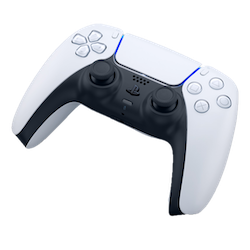
Advanced Haptics are really fun - instead of sending motor rotations you send a PCM waveform, and the voice coils in the controller play this back. This has been discussed a bunch elsewhere (and for a masterclass in the possibilities, try Team Asobi's "ASTRO's Playroom" on PS5), but in short it's exciting because it allows for feedback that is both more subtle and nuanced, as well as more snappy. Treating the haptics as audio also makes it easier to think about mixing haptics (e.g. receiving damage from one NPC while clashing swords with another).
When plugged in by USB, the PS5 controller exposes a 4 channel audio device; the last two channels are left+right haptics channels. This is pretty easy, just play haptics as a standard 48kHz audio stream to that device.
When connected via Bluetooth no such audio device is available. This is a limitation for a lot of (probably all?) PC games that have DualSense support... it's a bit annoying to be plugged in by a cable.
Thankfully, a reverse engineer called Sdore worked out (from hints left by others) the Bluetooth messages required to send haptic audio: it's just a custom packet containing 3kHz 8-bit stereo PCM samples, and the controller plays it with minimal audio latency. Neat! The simplicity of their description was a little deceptive (I've done some audio work before, but never realtime) so there was a bit of work to get it to play reliably without latency spikes or treading on the toes of previous messages (or so I thought - it turns out macOS Bluetooth HID reports are synchronous and VERY slow). But now it's working!
Haptic Events include the name of the engine sound sample that was triggered, and I load up the corresponding haptic data that's timed to that game data file. I currently layer concurrent haptics together by simple averaging of the waveforms, and then send that data to the controller.
So now when you're crouched and walk forward, you get haptic feedback for Garrett's footsteps. They're appropriate to the material (carpet feels soft, rock feels hard), and as an extra fun feature I alternate footsteps between left and right side of the controller. It's tuned to be subtle so that it doesn't get overwhelming.
Adaptive Triggers
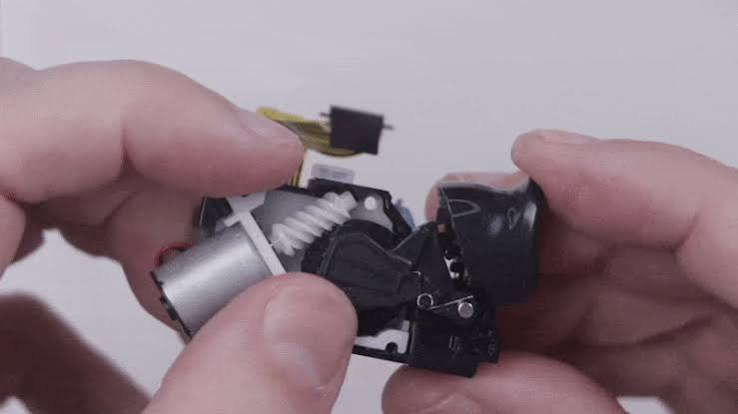
Another fun feature of the DualSense controller is adaptive triggers; there is a motor that can be engaged to push against the trigger at certain points to create a variable "shelf".
I'm experimenting with using this for nocking and loosing arrows: squeeze the trigger a little and Garrett will nock an arrow, and you'll feel the tension as well as the rumble of the draw. Keep squeezing and the trigger will go slack as you feel the kick of the loosed arrow. If you want to let down your arrow instead, just let off the tension and Garrett will unequip the bow.
It needs more tuning to get it feeling just right, but I think it's incredibly cool.
Try it! Improve it!
My experimental v2.0 pre-release is available on github for anybody who's feeling adventurous. You can customise exactly what triggers haptics and what doesn't in the configuration file (soon in the config app).
The haptics themselves are also customisable; the "haptics" folder has a series of .haptic files which can be edited in Meta's Haptics Studio (and other software). At runtime I take these haptic files, combine them with details of the output device (an "actuator profile") and generate the waveform/impulses to send to the controller. Each file is named after the in-game sound they are timed to, which allows for better sync between sound and feedback.